


DURR DENTAL VISTASCAN MINI VIEW


Select Seller
The image plate scanner with a touchscreen for intraoral formats
The new VistaScan Mini View image plate scanner enables the intuitive, efficient, and time-saving digitisation of image plates. Amongst other things, its large touchscreen with its easy-to-use user interface contributes to this. Its compact size and integrated wireless functions make the device really flexible.
Features:
- Top image quality
- High-resolution touchscreen
- ScanManager for optimum workflow
- For all intraoral formats
- Reliability thanks to internal memory
- PC connection via WLAN/LAN
- Standalone mode possible
The imaging plate scanner with touch display for all intraoral formats
The imaging plate scanner VistaScan Mini View ensures the practitioner an extremely intuitive, effective and time-saving digitization of the imaging plates. Among other things, its large touch display with its intuitive user interface contributes to this. Its compactness and the integrated WLAN functionality make the device uniquely flexible.
Outstanding image quality
Thanks to PCS technology, the VistaScan Mini View can reliably display caries D1 lesions and endo instruments up to ISO 06. With an effective resolution of up to 22 LP / mm (40 LP / mm, theoretically) and 16-bit (65,536) gray levels.

All intraoral formats
All intraoral image plate formats can be used with the VistaScan Mini View - from size 0 to 4. Handling is as easy as with analog film.

Comfortable touch display
The 4.3 "touch display offers a resolution of 800 x 480 pixels with 16.7 million colors and has excellent image quality. The X-ray result can be checked quickly with the preview of the scanned image. The comfortable user interface enables easy operation - via Hand or the supplied stylus.This gives you a lot of information that supports the workflow.

ScanManager - for even more efficient work
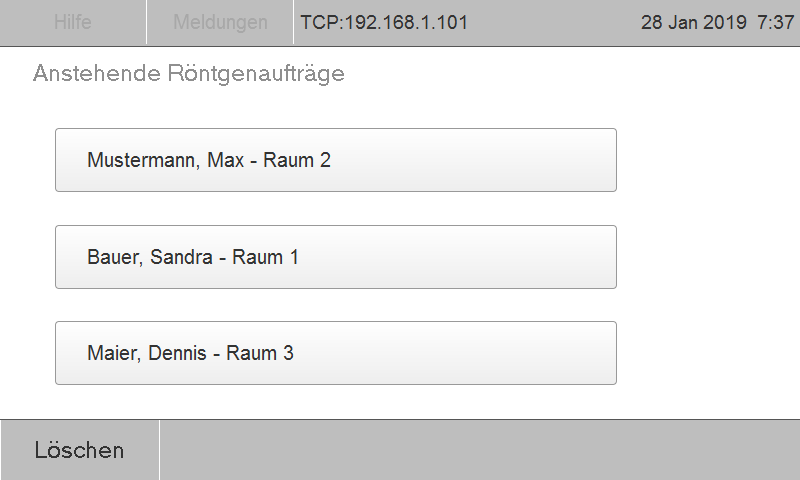
Scan jobs can be sent to the scanner at any time from any workstation. Select job, scan, done. The images are then automatically transferred to the requesting PC. There is no waiting at the device.
Stand-alone operation
The VistaScan Mini View can also work independently, e.g. B. If the IT fails, the X-ray images can be scanned and saved. The images are temporarily stored in the internal memory and later transferred to the database. Also as a mobile solution z. B. when visiting senior facilities, it is ideal.

WLAN functionality
The integrated WLAN functionality allows the VistaScan Mini View to be easily integrated into an existing network and to be placed almost anywhere - e.g. B. chairside. A LAN interface is of course also available.

Compact and flexible
Thanks to its space-saving footprint, the VistaScan Mini View can be optimally placed chairside: ideal for x-raying and scanning directly at the treatment center.

See More
Related Products
More from Seller
